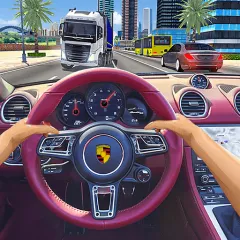
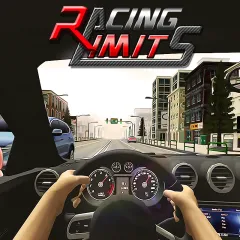
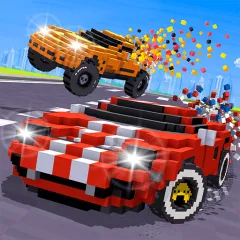
Racing Go puts you behind the wheel on roads packed with traffic. There is no empty track waiting for you. Cars and trucks can appear in your path at any moment. The game mixes endless driving with several race types. You can chase long runs, compete in Career stages, try 1v1 Drag races, or take part in special events.
How to Play Racing Go
More Than One Way to Race
- Career Mode: Progress through stages with increasingly aggressive opponents.
- Online Racing: Race other players and earn XP.
- Takedown Mode: Focus on rival cars while keeping your own damage under control.
- Daily Events: Take on rotating challenges and special races.
- Drag Mode: Race 1v1 and shift at the right moment.
- Car Series: Travel through different world cities and unlock rewards.
- Street Mining: Choose Endless, Free Ride, or Time Trial.
Quick Control
| Key | Action |
|---|
| W | Accelerate and move forward |
| A / D | Steer left or right |
| S | Slow down or brake |
| Shift | Activate Nitro for extra speed |
| Esc | Return to the previous menu |
Driving Walkthrough
The car drives forward while you manage its position on the road. Your first job is to read the traffic. Check the lane ahead before moving.
At speeds over 100 km/h, you have less time to react, so choose your lane early. Fast overtakes can bring bonus score and cash. They also leave less time to fix a bad decision.
For progression, collect Blueprints in Endless Mode. They help unlock new cars. XP also matters in modes such as Online Racing and Street Mining.
Something to Know in Racing Go
How many environments are available?
Racing Go has five main environments. They include Highway, City, Desert, Rain, and Snowy settings. The different locations change the visual feel of a run. The day and night cycle adds another change during driving.
Why are Blueprints important?
Blueprints are connected to car unlocking. You can collect them in Endless Mode. This makes long runs useful even when you are not chasing a record. More unlocked cars also give you more choices for later races.
Can I play without worrying about fuel?
Yes. Racing Go does not use a fuel limit. You can continue driving without stopping to refill the car. This is especially useful in Endless Mode, where longer runs are part of the challenge.
What if you want more ways to challenge your driving skills? Try Grand Extreme Racing.