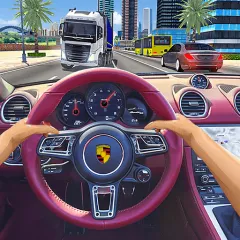
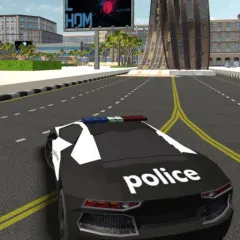
Police Car Simulator puts you in a patrol car in a crowded city. Crashes, street incidents, and urgent calls keep popping up. You drive from one job to the next. Each finished mission pays cash.
You start by typing your name and rolling out onto the avenue. Before that, you can pick how the car handles. Fuel runs low, bodywork gets scratched, and traffic doesn’t always give way. Spend your earnings in the garage and make the cruiser yours. Start the siren and head out.
How to Play Police Car Simulator
Simulator, Drift or Arcade?
You choose before you drive off.
- Simulator makes the car react to every move, so it rewards careful driving.
- Arcade is looser and easier to throw around.
- Drift lets the rear slide.
Match the mode to the job. Use simulator when you want to drive cleanly. Arcade when you just want to get across town fast.
How a Shift Goes
Enter your name. It’s the first thing the game asks.
Set your handling mode. Choose simulator, drift or arcade before you hit the street.
Pull onto the avenue. Drive toward the next mission marker across the city.
Work through the calls. Crashes, incidents and fast response jobs all count as missions.
Repair damage. After a collision or a hard chase, fix the bodywork.
Cash out in the garage. Spend what you earn on looks for your cruiser. Darker glass, neon underglow, tire smoke color
Cash rewards for every job.
Controls: Arrow keys to drive, mouse for menus and options.
Where Police Car Simulator Gets Tough
The city is crowded, and traffic doesn’t make way for you. Collisions leave damage, and the tank doesn’t last forever. The simulator mode asks for steady hands, and a hard chase can leave your cruiser in rough shape.
Tips for Better Patrols
Refuel before you need to. An empty tank in the middle of a call is a bad time to look for a station.
Repair after every rough chase. Damage builds up. A quick fix keeps the car predictable.
Use red lights to your advantage. On patrol runs you can go through crowded intersections without a penalty.
Save a little cash for looks. Tinted glass, neon underglow and tire smoke color don’t change the job, but they make the car yours.
When you’re ready to swap the patrol car for a rocket-powered one, try Turball.io.