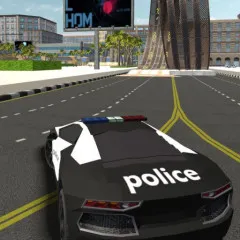
You can drive a beautiful supercar through a huge, busy city in the exciting open-world driving game i8 City Driver. You are welcome to look around, take on exciting tasks, and show off your amazing drifting skills.
How to Play i8 City Driver
In this game, players drive a fast sports car around a large city map. Your main goal is to drive around the city and finish different driving challenges.
There are no rules for how you can move through the streets, but you can focus on specific goals to get better. It's possible to take part in speed challenges, slide, and do tricks off ramps and in the city streets.
Using Nitro will help you go faster and do your tasks better.
Tips to play i8 City Driver
Do you want to rule the streets in i8 City Driver? Do these things:
- Smart Use of Nitro: Turn on nitro on straight roads to get the most speed boost.
- Master Drifting: To keep your speed, learn how to drift easily around corners.
- Keep your speed in check: Avoid crashes by keeping speed and control in check.
- Check out the Map: Find out about all the problems and new chances.
- Do regular upgrades: You can make your car better to handle harder tasks.
Controls:
- Arrow Keys/W, A, S, D: Drive/Steer/Brake
- C: Change Camera
- F: Nitro Character
- Orbit: Look Around